
✕Friends clocking in for each other, times written by hand in a book.
✓Clock in with a selfie + GPS. Outside the office radius? Rejected automatically.
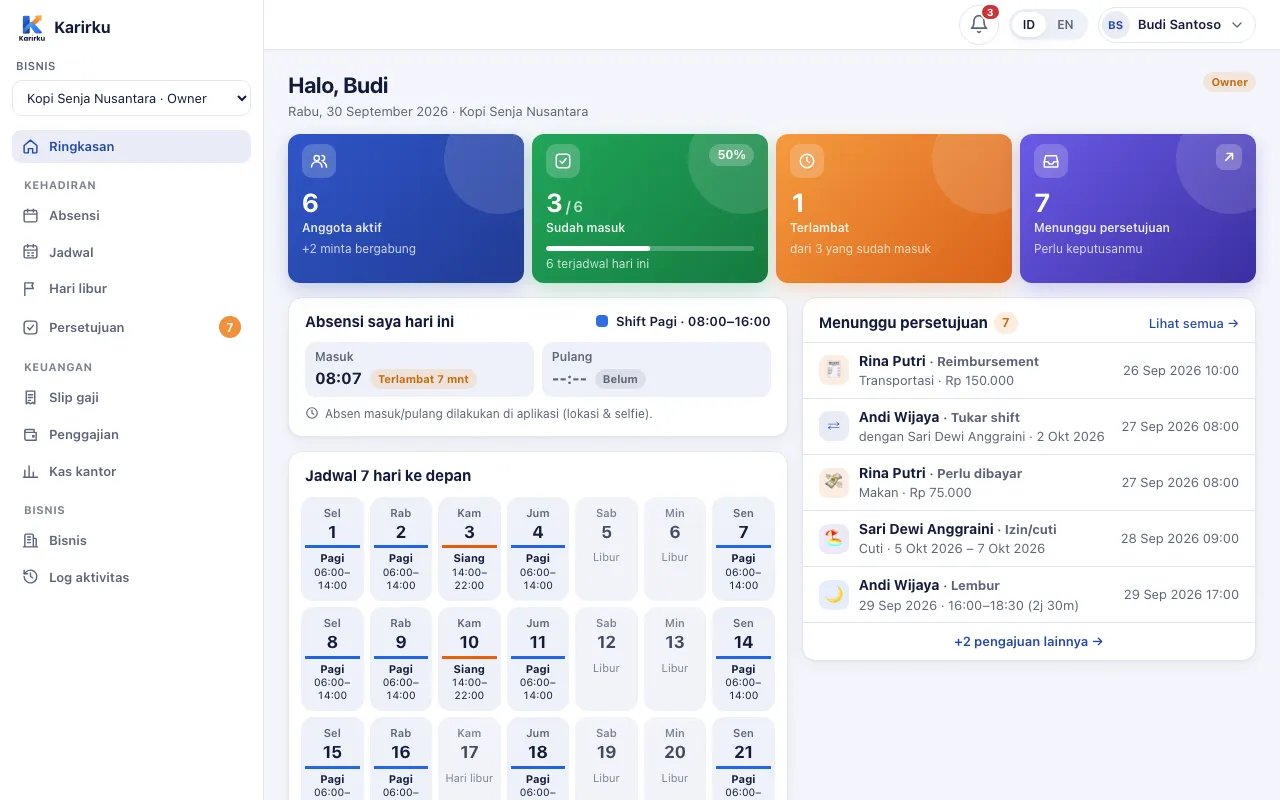
Employees clock in from their phone with a selfie and location. You plan shifts, approve leave, and issue payslips from the dashboard — no more Excel recaps.
✕Friends clocking in for each other, times written by hand in a book.
✓Clock in with a selfie + GPS. Outside the office radius? Rejected automatically.
✕Shift schedules sent in a group chat, then buried.
✓The weekly schedule is on every employee's phone, holidays included.
✕Working late at month end to calculate pay from an Excel recap.
✓Pay is calculated from attendance & overtime; payslips issued in one click.
From the morning clock-in to the month-end payslip — one place, one source of truth.
A face photo, location, and distance from the office are recorded with every clock-in. Require the office radius, or allow anywhere.
Learn moreShift templates, weekly or rotating patterns, one-day changes, and shift swaps between teammates.
Learn moreRequested from the phone, approved from anywhere. Leave quotas tracked automatically.
Learn moreMonthly or daily pay, lateness & absence deductions, Kemnaker overtime. Print-ready payslips.
Learn moreRecord money in & out with receipt photos. The balance carries over month to month.
Learn moreEvery request lands in one list. Approve or decline, and the employee is notified instantly.
Learn more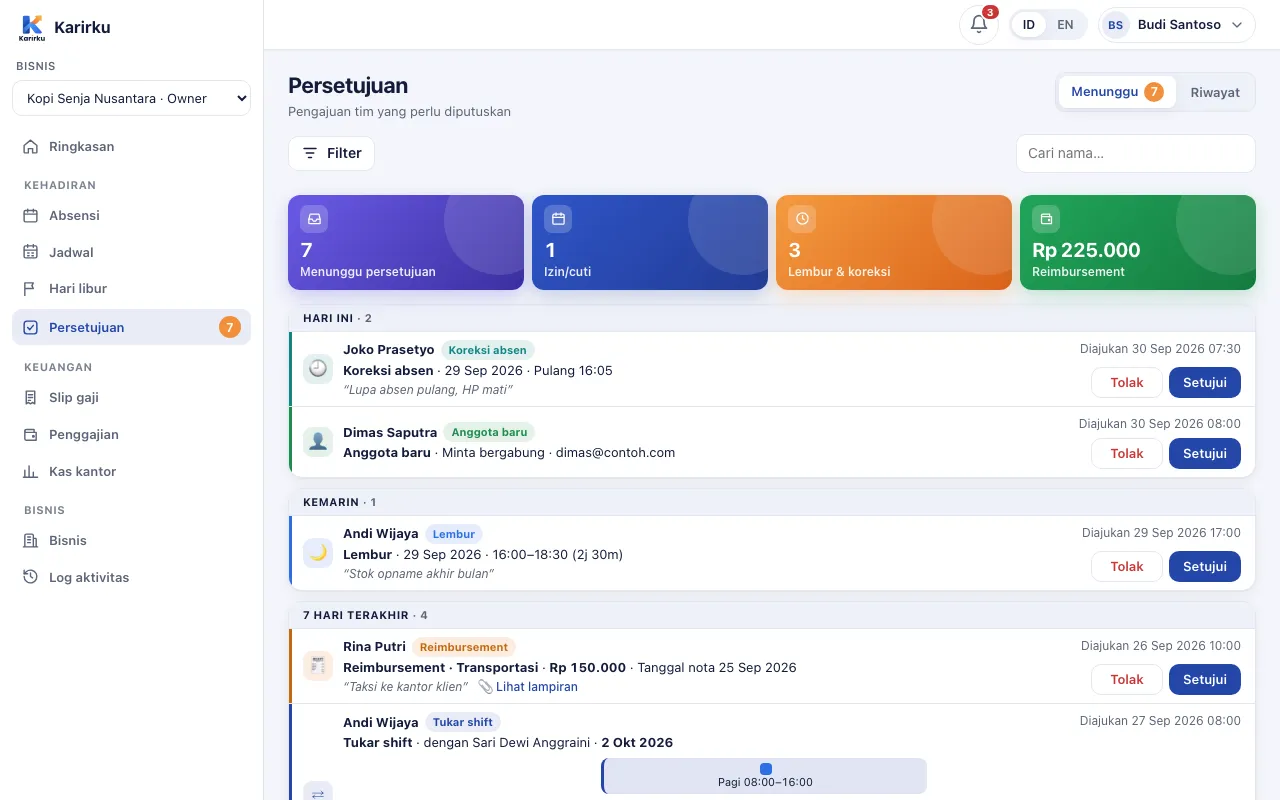
Sign up, add the business name and office location. Create shift templates if your team works in rotations.
Employees install the app and enter the code. You just approve them.
Attendance, requests, and recaps run right away. At month end, run payroll.
The Perintis plan is free forever for up to 20 employees, no credit card. Set up your business on the web dashboard while the app is on its way to Google Play.