
Selfie photo
Every clock-in stores a face photo, so nobody can clock in for a friend.
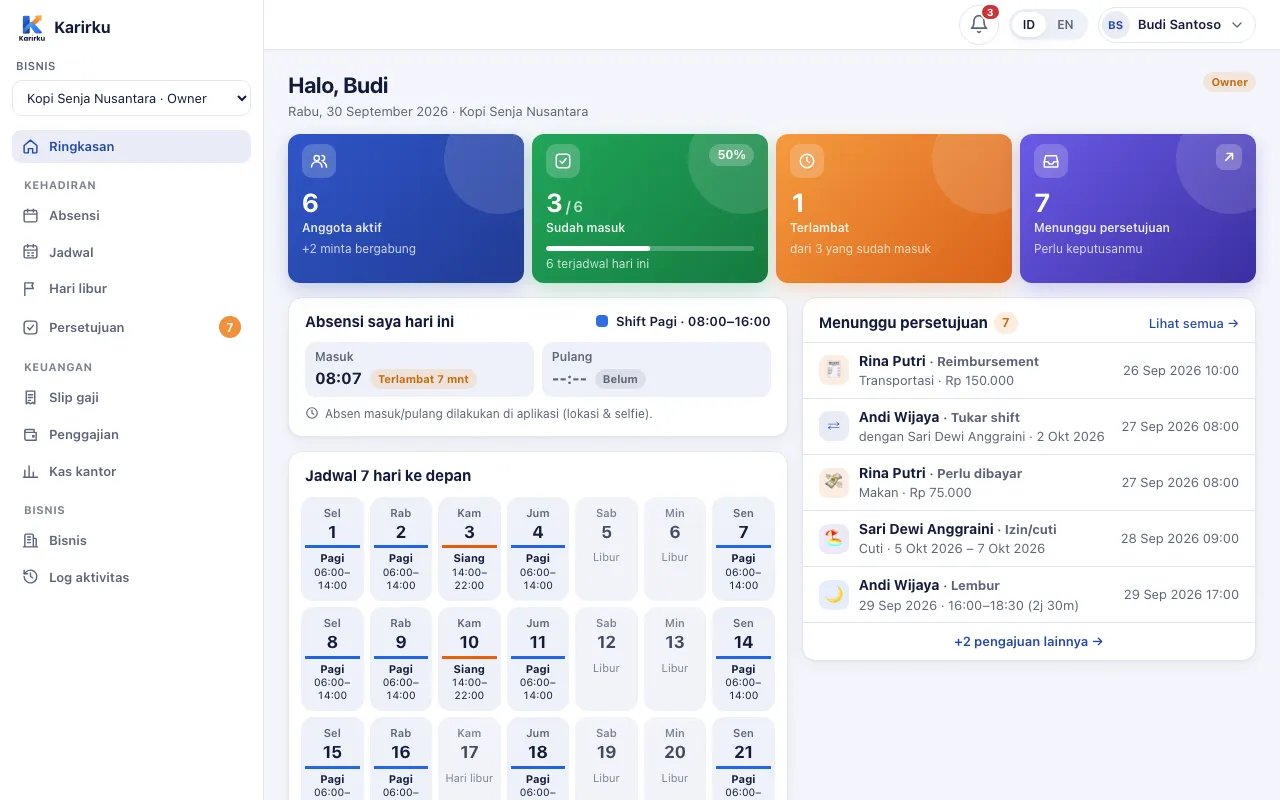
Employees clock in and out from their phone with a selfie and GPS. Time comes from the server, location is checked against the office radius, and the recap is ready for payroll.
Every clock-in stores a face photo, so nobody can clock in for a friend.
The clock-in time uses the server clock, not the phone's adjustable clock.
GPS location and distance from the office are recorded. Outside the radius can be rejected automatically.
Set up several branches with their own radius, or choose locations per employee.
On time, late, or early leave is worked out from the schedule — night shifts included.
Forgot to clock in? Employees request a correction and a manager approves it. Nothing is changed quietly.
Checking out well after the shift ends? The app asks whether it was overtime and files the request.
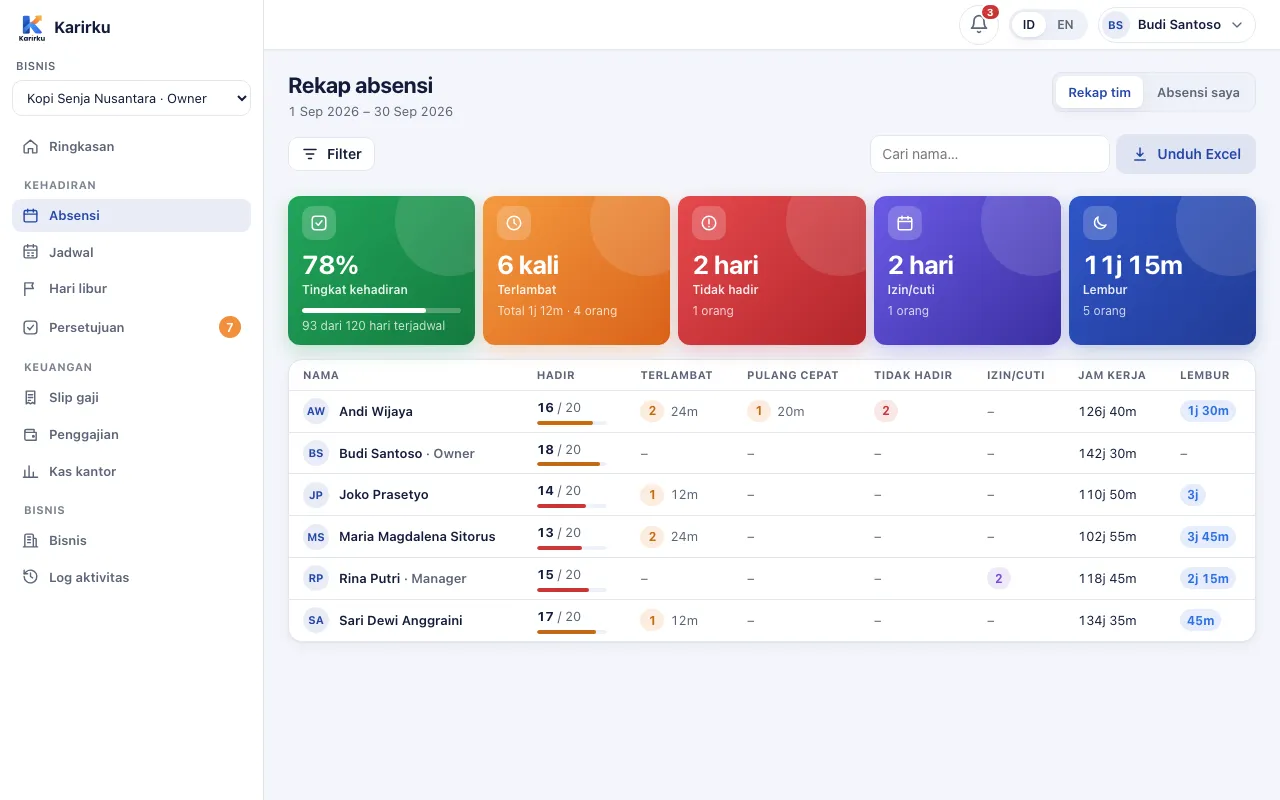
See who's present, late, on leave, or absent per day and per month, then export to Excel.
Every clock-in stores a selfie, the server time, GPS location, and the distance from the office. You can require clocking in within the office radius.
Yes. Choose "allow anywhere" for the whole business or for specific employees; the location is still recorded.
The employee requests an attendance correction from the app. Once approved, it is recorded and marked as a correction. The owner sets how far back corrections are allowed.
Yes. Shifts that cross midnight still count as a single workday.
The Perintis plan is free forever for up to 20 employees, no credit card. Set up your business on the web dashboard while the app is on its way to Google Play.