
Permits, sick days & leave
Requested from the phone with an optional photo, like a doctor's note.
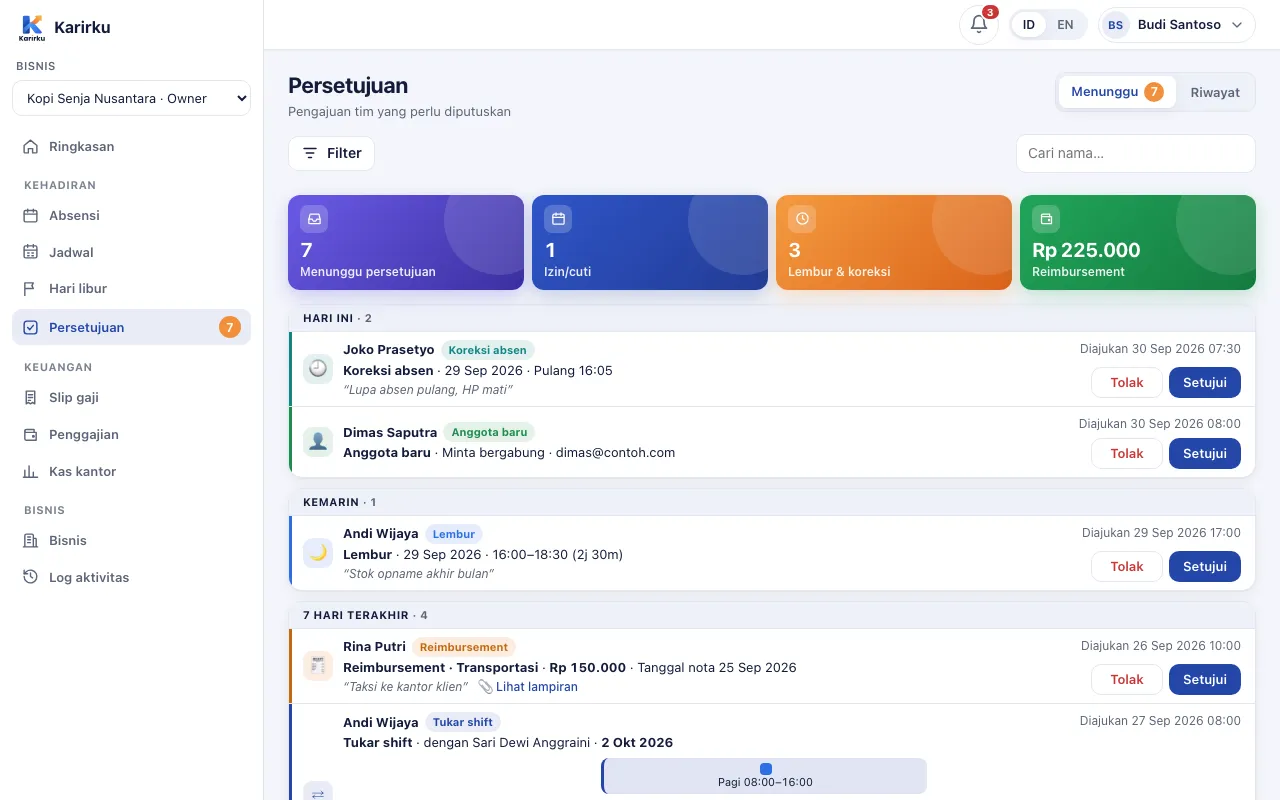
Employees request from their phone, managers approve from the app or web. Leave quotas are tracked automatically and everything flows into attendance and payroll.
Requested from the phone with an optional photo, like a doctor's note.
Annual leave per employee; only workdays count. Permits and sick days can deduct from it too.
Request overtime with start and end times. Approved overtime flows into recaps and payroll.
A forgotten clock-in or clock-out becomes a correction request, never a silent edit.
Claim expenses with a receipt photo. Pay separately or together with payroll.
Every request lands in one list. Employees are notified as soon as it is decided.
Managers can record leave, overtime, or claims for employees directly, with a full log.
Owners, managers, or custom roles with permission. Managers cannot approve their own requests.
Each employee has an annual leave allowance (the owner sets the default). Only scheduled workdays count; days off and holidays do not.
Yes. Employees get an in-app and push notification when a request is approved or declined.
Yes. Approved claims can be added to payslips during a pay run and are then marked as paid automatically.
The Perintis plan is free forever for up to 20 employees, no credit card. Set up your business on the web dashboard while the app is on its way to Google Play.